How to Delete a Customer

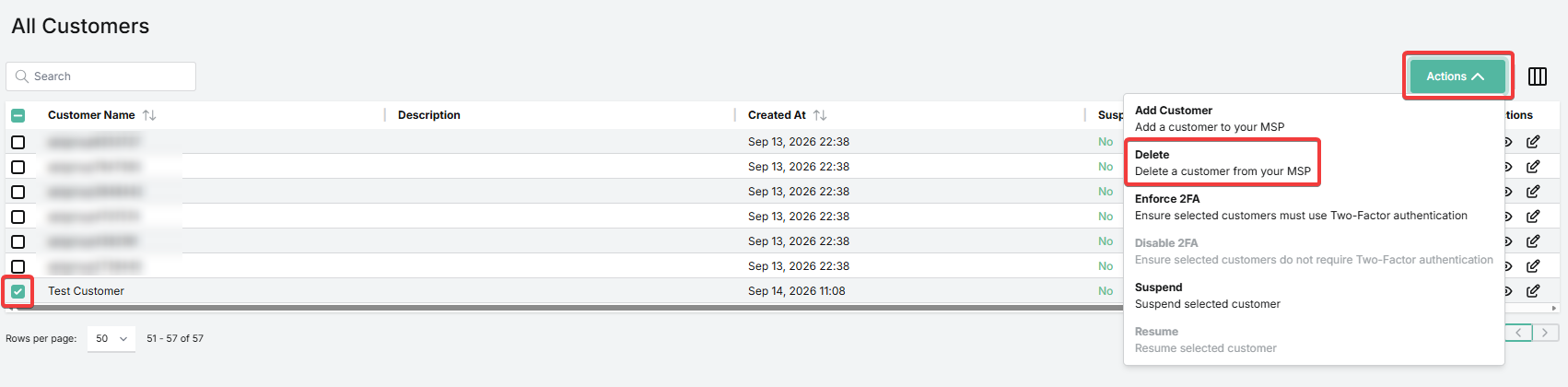
1. On the Overview page, locate the customer in the All Customers table. You can also use the search field.


2. Check the box to the left of the entry for this customer.


3. Go to Actions > Delete. 


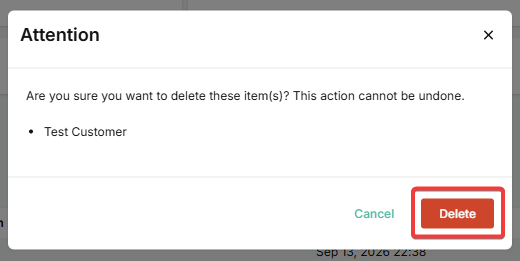
4. Click Delete to confirm.

Was this article helpful?

That’s Great!

Thank you for your feedback

Sorry! We couldn't be helpful

Thank you for your feedback

Let us know how can we improve this article!

Select at least one of the reasons
CAPTCHA verification is required.

Feedback sent

We appreciate your effort and will try to fix the article