

Go to the History tab in the side-bar menu to view emails that have been processed by SpamTitan.

Select Advanced Filter to expand the advanced search options. See Searching Mail History.
Click the Refresh button to refresh the history list.
Select the column
 icon to display the history table column names. Slide each on and off to view or hide a column.
Select an email from the list to view more information about it. See Managing Email History.
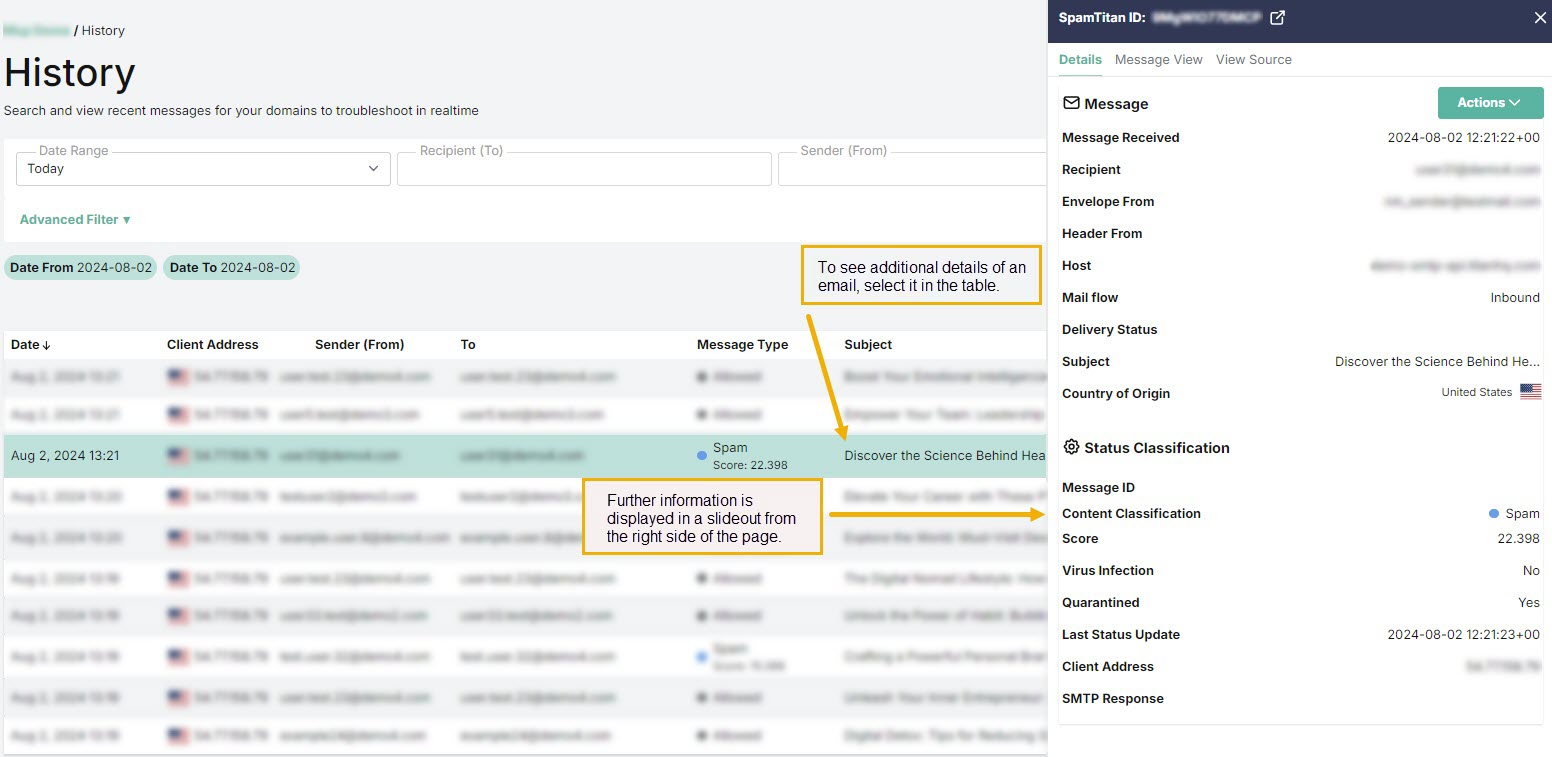
History shows the following information about each email:
Date: Date and time the email was received.
Client Address: The source IP address a mail was received from.
Sender (From): The sender's address which is visible in the email header.
To: Recipient's email address.
Message Type: The type of email, as classified by SpamTitan. For example, Clean, Virus, Banned, Spam and so on.
Subject: Subject header of the email.
Delivery Status: Indicates the delivery status of a message. This can be Sent, Deferred or Bounced.
SpamTitan ID: A unique internal message identification number that SpamTitan assigns to each email.